Demonstrates how to use server side includes in ASP .NET by including User Control files in Web Forms.
Edit: For those who want a quick solution, to include an aspx file into another aspx file use the following:
<!-- #Include File="fileName.aspx" -->Almost all the time you have to use server side includes in web applications. While in PHP you can include a file using the following piece of code:
include("fileName.php");…in ASP .NET it’s a bit more complicated, but more interesting.
Create a new ASP .NET Web Application project named includes. Along with the files in the current project, add a new file that will be included in WebForm1.aspx. The file has to be a Web User Control (with the ascx extension).
So right-click on the project in the Solution Explorer window and choose Add -> Add New Item…. From this window choose the Web User Control:

Click Open after you leave the default name (WebUserControl1.ascx). Along with our Web Form – WebForm1.aspx, is now our User Control – WebUserControl1.ascx:

Open the file WebUserControl1.ascx and inside the source use the following:
<%@ Control Language="c#" AutoEventWireup="false" Codebehind="WebUserControl1.ascx.cs" Inherits="includes.WebUserControl1" TargetSchema="http://schemas.microsoft.com/intellisense/ie5"%>


<p>I'm a server side included file...</p>
The first line (the directive) is created by Visual Studio .NET anyway, so you can only add the paragraph.
Now open the main Web Form – WebForm1.aspx – in HTML view. In the body tags add the following tags:
<%@ Register TagPrefix="Include1" TagName="DefaultInclude" Src="WebUserControl1.ascx" %>

<Include1:DefaultInclude ID="myInclude" Runat="Server" />
In the first line a directive is created where we register the user control. It contains a TagPrefix attribute which defines a namespace that you’ll use to get access to the User Control, a TagName that acts as an alias for the class and the Src attribute which contains the path to the user control file.
The second tag is the actual usage of the control in the file, where the second tag is inserted, the content of the User Control file will be displayed.
User Control properties
Maybe you want to display something in the included file different on other pages, depending on the Web Form that includes the User Control. This technique is often used when including headers, so you can display the Title of the webpage (inside tags) depending on the Web Form even if the header included file is the same. Let’s look at an example.
Replace the paragraph inside WebUserControl1.ascx with this one:
<p>I'm included in the <%=FileName%> file.</p>Where FileName resides, the actual name of the file will be. But before we assign a string to FileName inside WebForm1.aspx, we need to declare the variable inside WebUserControl1.ascx.cs. Also here we can set a default value for the variable, in the case in which it is not set in WebForm1.aspx. So open WebUserControl1.ascx.cs and declare the variable FileName:
public string FileName = "unknown";Now inside WebForm1.aspx finally set FileName to the name of the file. You do this by adding the attribute FileName to the tag:
<%@ Register TagPrefix="Include1" TagName="DefaultInclude" Src="WebUserControl1.ascx" %>

<Include1:DefaultInclude ID="myInclude" FileName="WebForm1.aspx" Runat="Server" />
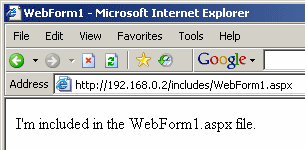
This is the result: